¶ Competition Mode Code
The code for competition mode allows the user to control the robot in diffrent modes.
¶ Competition Library
When you first connect to XRPCode to your robot, all library files will automatically sync to your XRP. Among these files are the code for
Competition Mode.The following competition related files will sync when you connect to xrp.wpsrobotics.org
- /lib/XRPLib/competition.py
- /lib/XRPLib/competition_runner.py
- /baseline_competition.py
- /baseline_competition.blocks
If your missing the files in the XRPLib or having troubles getting your robot to work. Follow the instructions on the Trouble Shoot page.
¶ Disable/Enable
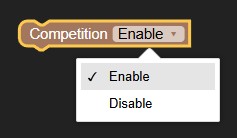
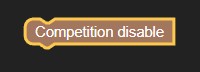
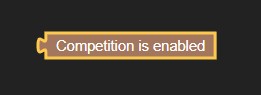
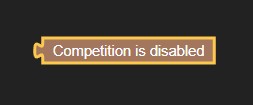
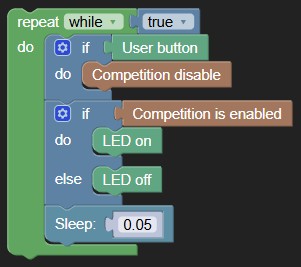
This allows the code for the robot to be active but changes if you want the motors to run or not to run. This will be an either or thing, you can't be enabled and disbaled at the same time.
¶ Setting robot enabled or disabled
¶ Getting robot enabled or disabled
¶ Examples
Micro Python
from XRPLib.board import Board
from XRPLib.competition import *
import time

board = Board.get_default_board()


while True:
  if board.is_button_pressed():
    competition_set_disabled()
  if competition_is_enabled():
    board.led_on()
  else:
    board.led_off()
  time.sleep(0.05)
Blocky
¶ Auto/Teleop
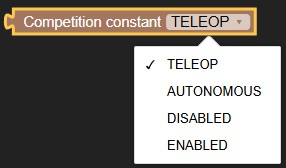
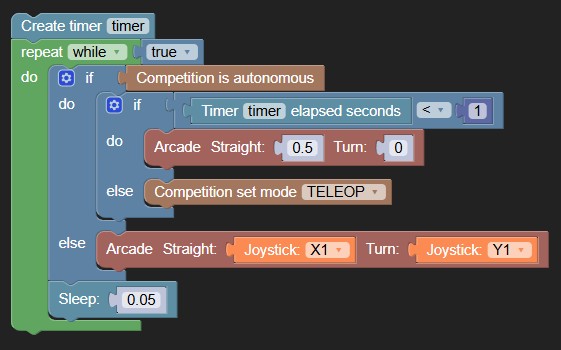
Changing between autonomus and telepop mode is seprate from disabled and enabled. For instance you can have auto running while its disabled. Even though you wouldn't want to do that, it is possible.
The major reason for this is that it allows you to manually or use code to swith between auto and teleop, instead of switching codes entirely.
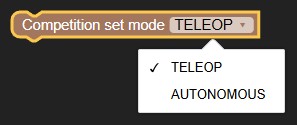
¶ Setting Auto and Teleop
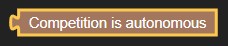
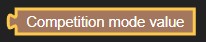
¶ Getting Auto and Teleop

¶ Examples
Micro Python
from XRPLib.timer import Timer
from XRPLib.competition import *
from XRPLib.differential_drive import DifferentialDrive
from XRPLib.gamepad import *
import time

differentialDrive = DifferentialDrive.get_default_differential_drive()

gp = Gamepad.get_default_gamepad()


timer = Timer()
while True:
  if competition_is_autonomous():
    if (timer.elapsed()) < 1:
      differentialDrive.arcade(0.5, 0)
    else:
      competition_set_mode(COMP_MODE_TELEOP)
  else:
    differentialDrive.arcade((gp.get_value(gp.X1)), (gp.get_value(gp.Y1)))
  time.sleep(0.05)
Blocky
¶ Competition Code Setup
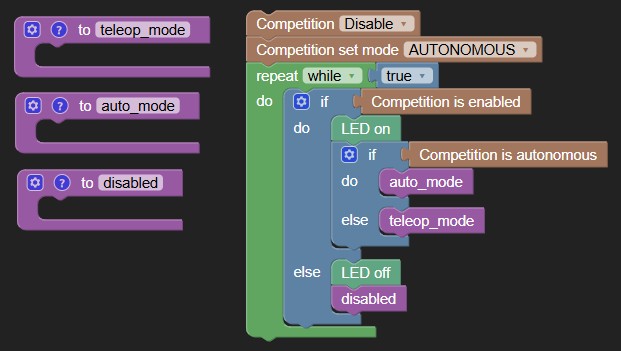
This is the suggested code setup when playing in Competition Mode. These files should automatically sync to your XRP after connecting.
If they are not on your XRP; Please follow the Install Instructions no the top of this page. You must have competition.py and competition_runner.py installed.
Micro Python
from XRPLib.board import Board # This is imported to control the LED
from XRPLib.competition import *
from XRPLib.competition_runner import CompetitionRunner

# Place all initializing code here, aka timer = Timer() , etc.
board = Board.get_default_board()

# This sets competition code to start disabled and on auto. The default otherwise is Teleop and Enabled
competition_set_disabled()
competition_set_mode(COMP_MODE_AUTONOMOUS)


# This runs every time the robot is disabled, and in between teleop and auto switching
def disable_mode():
    pass


# This runs once when auto starts
def auto_init():
    pass


# This repeats when on auto mode
def auto_mode():
    pass


# This runs once when teleop starts
def teleop_init():
    pass


# This repeats when on teleop mode
def teleop_mode():
    pass


# The code below runs the competition transition methods

runner = CompetitionRunner(
    board=board,
    disable_mode=disable_mode,
    auto_init=auto_init,
    auto_mode=auto_mode,
    teleop_init=teleop_init,
    teleop_mode=teleop_mode
)

runner.run() # This runs the main loop
Blocky
Download (/xrp/baseline_competition.py) | Download (/xrp/baseline_competition.blocks)